
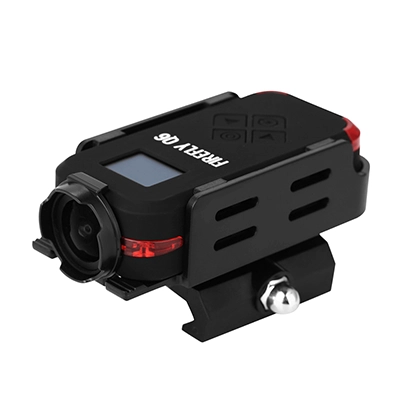
Firmware V1.2.7 Official Release
Published:
2025-12-18 15:20:17
Hawkeye announces firmware V1.2.4 for the FIREFLY Q8L, featuring slow-motion triggered recording and FOV adjustment in 1080p120fps mode. Download now to enhance your filming experience.
Dear FIREFLY Q8L Users,
Quick Step-by-Step Update Guide
- Update Camera to V1.2.7Complete the firmware update via the camera’s built-in official update channel. Ensure the camera has enough battery or is connected to power, and wait for it to fully restart after the update.
- Uninstall Old Viipulse APPFully remove the existing Viipulse APP from your mobile device to clear old cache and compatibility conflicts.
- Reinstall Latest Viipulse APPDownload and install the newest official Viipulse APP from the Google Play Store (Android) or Apple App Store (iOS) only. Avoid all third-party platforms.
- Pair Camera & APPOpen the newly installed APP, follow on-lighting prompts to pair with your Q8L camera, and confirm all functions work properly.
Key Reminders
- Strict Update Order: Format the TF card, then insert the updated firmware into the TF card and start the camera.
- Verify Update: Check camera settings to confirm firmware V1.2.7 is active, and the APP is the latest official version.
Thank you for your support!
V1.2.7 firmware update download redirection
Welcome To Know Our Products
Get More Product Service Information
Follow us
We are the original manufacturer in China, we can provide OEM/ODM service, and give you the high quality products..


CONTACT US
Phone:+86 13424392856
Tel:+86 13424392856
Add:Room 303, Zhongzheng Fortune Building, 6093 Baoan Avenue, Fuyong Town, Shenzhen, Guangdong, China
E-mail:vikin@hawkeyefpv.com.cn